

Getting started with Gemini
What is Gemini?
Google first introduced their AI solution to the world in March 2023. Since then, Gemini has improved in leaps and strides, matching – and even surpassing – its rivals across certain metrics.
Gemini is a collection of multimodal generative artificial intelligence models and associated software developed by Google DeepMind. Keep reading to learn more about the different models, tools and examples for how you can utilise them as a not-for-profit.
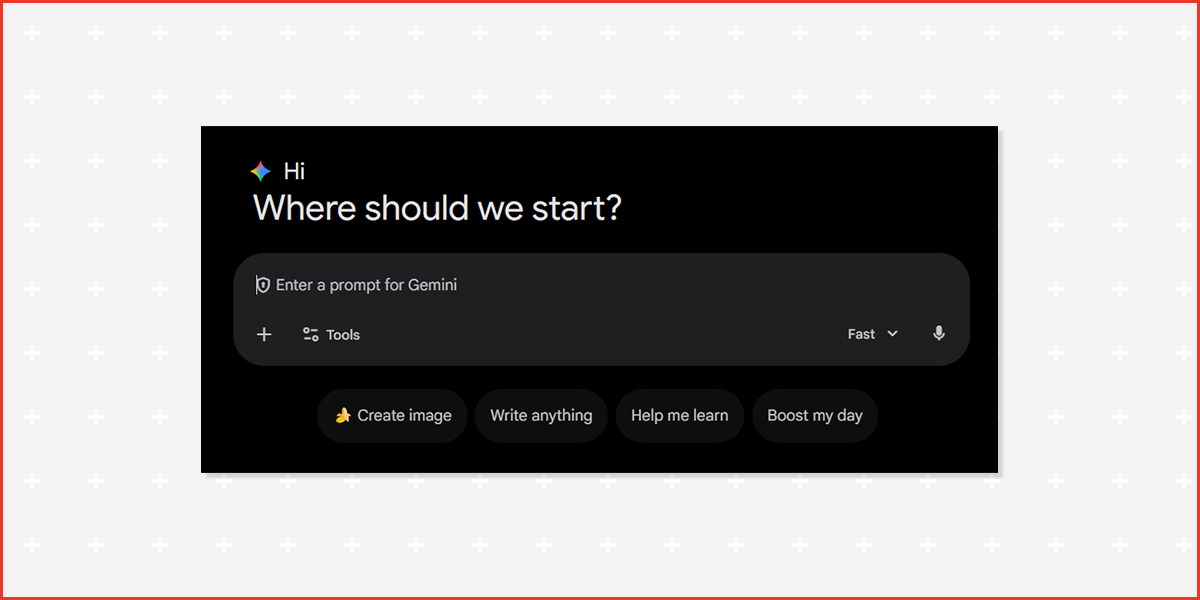
The way a user operates Gemini will be familiar to anyone who has ever used a chat or messaging service before. The first thing you see when logging in is a chat box, encouraging you to engage with the tool.
About the different models
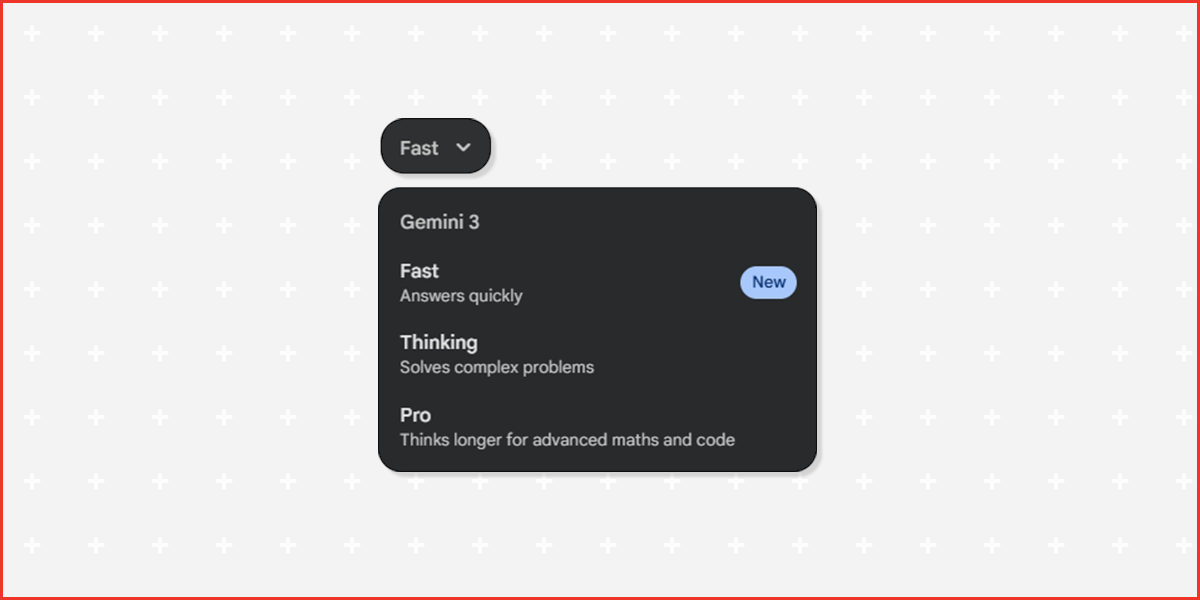
When using Gemini, you may notice there are different models to choose from. The following explains the purpose of each model contained within Gemini 3, with examples of how you might use them.
Fast
Powered by Gemini 3 Flash, this is the default "daily driver" mode designed for speed and efficiency. It uses "minimal thinking" to provide instant answers and is generally available with unlimited or high-volume usage. It is best for simple facts, translations, and quick administrative tasks where deep reasoning isn't required.
Example:
A volunteer coordinator needs to quickly draft a "Thank You" SMS to 50 volunteers or asks, "What is the date of the first Monday in October next year?" to assist with roster scheduling.
Thinking
This mode (powered by Gemini 3 Deep Think or Flash with Reasoning) activates a visible "thought process" before answering. It pauses to plan, critique its own logic, and self-correct, which significantly reduces errors on logic puzzles or multi-step problems. It acts like a strategist who double-checks their work before speaking.
Example:
A program manager asks, "Look at these three different grant eligibility PDFs and tell me which one best aligns with our new mental health initiative, and explain why the others don't." The model will explicitly list its comparison steps before giving the recommendation.
Pro
Powered by Gemini 3 Pro, this is the "heavy lifter" designed for maximum intelligence and nuance. It is the best choice for complex coding, creative writing that requires a specific tone, or analysing massive documents (like huge financial audits) where accuracy is non-negotiable.
Example:
The Director of Strategy uploads the organisation's entire constitution and 5 years of board meeting minutes to ask, "Identify every instance where we discussed changing our membership fee structure and summarise the sentiment of the board in each instance."
Note on usage limits
Thinking and Pro models have limits on usage depending on your subscription level. Refer to this page for more details.
About the different tools within Gemini
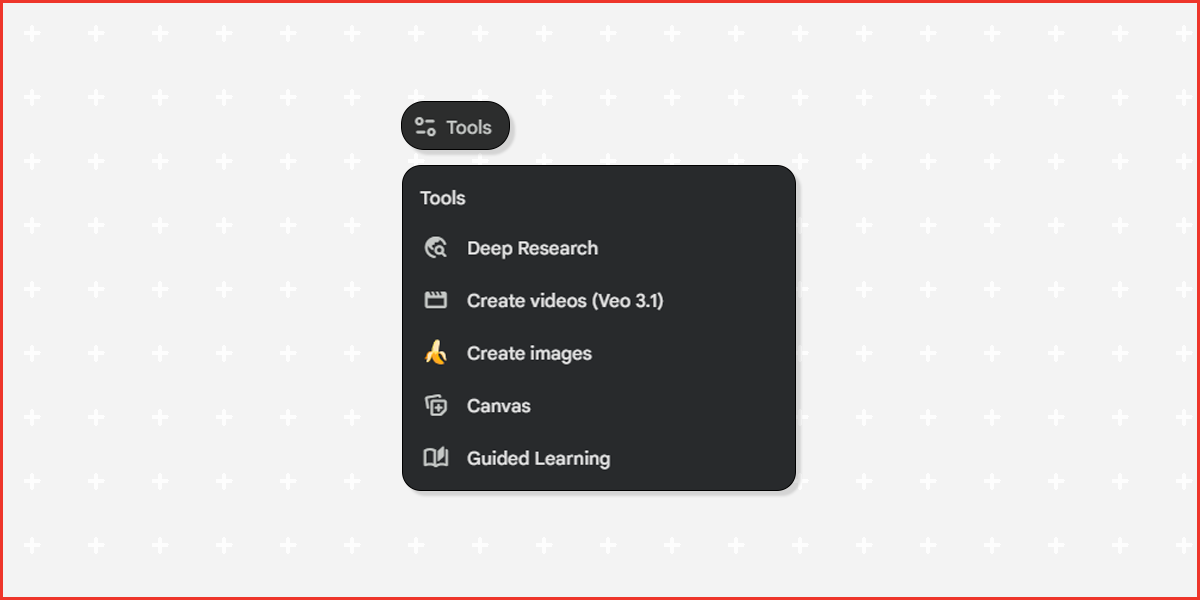
Beyond the standard chat, Gemini offers specialised tools designed for specific tasks.
Deep Research
Deep Research is an "agentic" capability (available in Gemini Advanced) designed for complex, multi-step investigations. Unlike a standard search, it creates a research plan, browses hundreds of websites, reads through PDFs, and synthesises the findings into a comprehensive report. It can take minutes or even hours to complete a task that would normally take days.
Read more: Understanding Agentic AI
Example:
A policy officer could ask Gemini to "Research the last 5 years of changes to disability housing legislation in Victoria, summarise the key impacts on service providers, and identify the top 3 risks for our organisation." Gemini would then browse government archives, legal summaries, and news reports to produce a fully sourced briefing document.
Veo 3.1
Veo is Google's most capable generative video model. It creates high-quality, 1080p video clips from simple text or bring your images into life by animating them. It understands cinematic terms (like "time-lapse" or "aerial shot") and can even generate synchronised audio for the video.
Example:
A fundraising team with zero budget for filming could generate high-quality B-roll for a campaign video, such as "A cinematic, golden-hour shot of diverse hands planting a sapling in a community garden," to use as background visuals for a donor presentation.
Create images
Powered by the Imagen 3 model, this tool generates photorealistic images and art from text descriptions. Unlike older models, it is excellent at rendering text (like signs or labels) inside the image and handling complex lighting.
Example:
A volunteer coordinator could generate custom, royalty-free imagery for a recruitment flyer, such as "A friendly, diverse group of volunteers wearing purple t-shirts organising food hampers in a bright community hall," ensuring the branding colours match perfectly.
Canvas
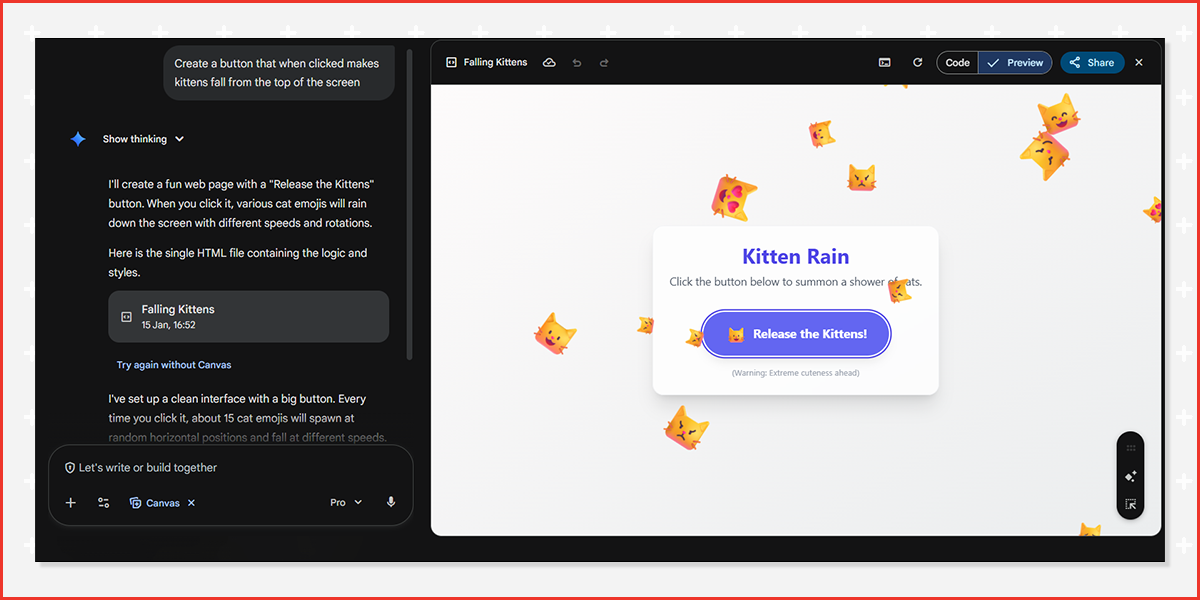
Canvas is a dedicated workspace for writing and coding projects.
Instead of the standard chat (where you lose previous context easily), Canvas opens a separate document window next to the chat. You can highlight specific sections of text or code and ask Gemini to "rewrite this paragraph to be more formal" or "fix the bug in this section," making it feel like a collaboration between the user and Gemini.
Example:
A grant writer can paste a draft of a 10-page funding application into Canvas. They can then highlight the "Executive Summary" and ask Gemini to "Shorten this to 200 words and make it more persuasive," without affecting the rest of the document.
Guided Learning
This is an interactive educational mode that moves beyond just giving answers. Instead of lecturing, Gemini acts as your tutor, breaking complex topics into small steps, asking you questions to check your understanding and creating quizzes to ensure you've mastered the material.
Example:
A not-for-profit could use this to upskill staff on new compliance rules. A staff member could say, "Teach me about the new privacy principles," and Gemini would walk them through the concepts step-by-step, quizzing them on hypothetical scenarios to ensure they understand how to apply the rules in real life.
How does Gemini integrate with the rest of Google Workspace?
Gemini for Google Workspace is a paid add-on that embeds the AI directly into the apps you use every day. It generally appears as a "Help me write" pencil icon or a sidebar.
- Docs: It can draft grant proposals, refine tone, or summarise long meeting notes.
- Gmail: It can summarise long email threads, draft replies, or prioritise your inbox.
- Slides: It can generate custom images for your presentations or create slide outlines.
- Sheets: It can identify trends in data, create custom formulas, and organise unstructured data.
- Meet: It can take real-time notes during meetings and capture action items.
- Forms: It can create draft forms by simply asking you to describe your intended form.
How can not-for-profits access Gemini?
Not-for-profits can access Gemini in three primary ways:
- The Free Version: Anyone with a Google account can access the standard version (gemini.google.com) at no cost.
- Google Workspace for Nonprofits: Eligible organisations registered with Google for Nonprofits can access Gemini with enterprise-grade data protection for free (with limited tool integration).
- Google Workspace with Gemini Business Plans: To get full integration inside Docs, Sheets, and Slides, NFPs usually need premium licenses. Google often provides discounts (up to 75% off) for nonprofits.
How does Gemini compare with other popular AI systems?
AI systems are constantly updating. It’s important to pick the right tool for the job. Read our article Choosing the right AI to learn more.
| Task | Gemini | ChatGPT | Microsoft Copilot | Claude |
|---|---|---|---|---|
| Data analysis | Strong (Native to Sheets) | Strong (Advanced Analysis) | Strong (Excel) | Moderate |
| Coding | Strong | Strong | Strong | Excellent |
| Image generation | Yes (Imagen 3) | Yes (DALL-E 3) | Yes (DALL-E 3) | No |
| Research | Strong (Google Search) | Moderate (SearchGPT) | Strong (Bing) | Moderate |
| Task | Gemini | Perplexity | Deepseek | Midjourney |
|---|---|---|---|---|
| Data analysis | Strong | Moderate | Moderate | N/A |
| Research | Strong | Excellent | Moderate | N/A |
| Image generation | Yes (Imagen 3) | No | No | Excellent |
Securing your data
It’s important for not-for-profits to understand the differences in data protection. Gemini for Google Workspace includes enhanced privacy controls and ensures your organisation’s data is not used to train public models. For sensitive information, always use a Workspace-linked environment.
Beginning your AI procurement process
Looking to implement an AI system like Gemini at your organisation? Check out our Not-for-profit guide to AI procurement for a pathway that’s right for you.